 微信扫码 · 加入内测群
把题目或主题发到群里,成片直接回给你
微信扫码 · 加入内测群
把题目或主题发到群里,成片直接回给你
把任何想法,写成一条
白板讲解视频
它把思路拆成一步一步,逐笔写在白板上;先验算,再出片。成本够低,让每一道题都配得起一条视频。
它写的更多片子
不同题材、不同长度的完整成片——每一条都先过三道质检门,再见观众。
一种能力,三种用法
内核只有一个:把结构化的思路,逐笔写在一块白板上。往里送什么,它就讲什么。
知识科普
「HTTPS 怎么保护你」「数据库索引是什么」——引擎最早就是拿科普题材跑通的。一句话主题,就能成片。
已出样片:HTTPS · 数据库索引 · 世界杯复盘
文档 → 讲解视频
把讲义、笔记、长文交给它,变成带旁白的白板课——同一支笔,讲你自己的材料。
内测排期中 · 欢迎候补
结构化脚本,确定性编译
同样是「AI 讲解视频」,底层是两条完全不同的路。我们不让模型生成像素——让它写一份结构化的讲解脚本,再由确定性引擎逐笔编译成音画同步的视频。这条路决定了它能不能被信任、能不能规模化。
像素被「生成」
公式会糊、会错、每次都不一样;改一个字要重跑整段;成本随时长线性烧钱,且没法校验对错。
笔画被「编译」
分镜是结构化数据:公式是矢量、逐笔描边、每帧可复现;改哪写哪;出片前,整份脚本先过三道质检门。
版面与时间轴检查
重叠、出界、旁白与笔迹错位——确定性代码逐项排查,每条视频都免费跑一遍。
公式逐条试渲染
每个公式先在真实渲染引擎里试排一遍,排不出的当场打回重写——不存在「糊掉的公式」。
多模型独立验算
不同家族的模型各自从头解题,答案达成共识才放行;算不对的视频,根本出不了厂。
这条「结构化脚本 + 确定性编译」的路线,规模上限已被业界验证——已有同类架构做到日产百万条、成本下降 95% 以上(arXiv:2602.11790)。Inkstone 把它做成一间你能直接用的工作室。
讲得清楚,靠这六件事
真手写描边
公式逐笔写出,像老师在白板上落笔——是描边,不是从左擦到右的假动画。
矢量数学排版
分数、根号、希腊字母清晰锐利,放大不糊;教科书级的公式质感,不是截图。
一板全览地图
全程不清屏,收尾镜头拉远,整场讲解一屏看全——终帧本身就值得收藏。
板式自动统一
同类内容自动落到同一块板、同一套镜头——一眼就认得出是同一个来源。
数学正确性校验
出片前独立解题、比对终值,算错的直接打回重做——规模化时,一条错题比一百条丑图更致命。
音画逐字对齐
旁白念到哪,笔就写到哪——不是配乐贴画面,每一笔都掐着话音落下。
说一句话,五步成片
每一步都是结构化的、可检查的——这也是为什么它能自动质检、批量生产。
输入想法
一道题、一个知识点、一份材料
AI 分镜
拆成一步步讲解 + 旁白
正确性校验
独立解题比对,算错打回
手写渲染
逐笔描边写满整块板
配音·出片
讲解配音,逐帧无头出片
一块板,讲透一道题
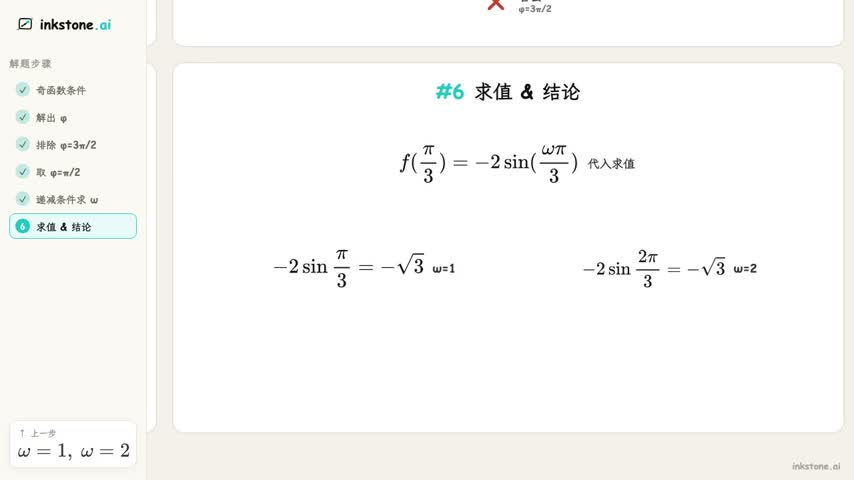
解题是我们打磨最深的用法。下面是同一套「三角函数·奇偶性与单调性」板式生成的两道不同的题——终帧就是一张完整的解题地图。


同一套板式,不同的题——一眼就认得出是同一个来源。这就是内容的辨识度。